

Are lots of visitors leaving your website without making a purchase? Are your customers frustrated about not getting support on your website? Your inbox is overflowing with ‘tickets’ of the same ‘can I get a discount’ or ‘Do you have something that fits my budget of….’ queries, leaving your team stretched too thin?
A chatbot can automatically provide your customers instant responses, make them feel valued, and assist them in completing their purchases, bookings, etc, without having to wait for a human agent. So that you can use the extra time to work on things that will help grow your business.
In this guide, we will outline simple steps to create a chatbot for your website that keeps your visitors satisfied and your business running smoothly.
By the end, you’ll have a fully functional AI chatbot live on your website, even if you’ve never written a single line of code before.
How does a chatbot help your website visitors?
Well, visitors want quick answers. They don’t want to wait around, search endlessly, or wonder if someone will ever reply. A website chatbot ensures they get the help they need instantly.
Here’s how it helps your customers:
- Answers anytime: Customers get help 24/7, even when you’re offline.
- Guides them towards checkout: Helps visitors find the information they need and complete purchases easily.
- Personal touch: It can give personalized product recommendations, track orders, and even make bookings and appointments.
- Customer Satisfaction: Customers won’t have to repeat themselves or wait too long. With the right chatbot, they’ll receive fast and accurate answers.
A chatbot keeps your visitors happy, helps them find answers they need, collects contact details, and makes shopping on your website much easier.
But before integration…
Pause for a moment and ask yourself:
“What problem am I trying to solve?”
That question will serve as a roadmap for choosing the right chatbot platform and how your chatbot it’s trained.
Are you trying to:
- Generate more leads?
- Reduce customer support tickets?
- Help potential customers complete purchases?
- Book demos or appointments without human intervention?
- Offer multilingual support?
When you’re clear about the why, the how becomes simple. You can pick the right platform and ensure the chatbot genuinely fits your business goals, not just sits on your website looking fancy.
How to integrate chatbot in website?
Don’t worry, you don’t have to be a tech expert to integrate chatbot in website. Just follow these steps, and you’ll have a chatbot up and running in no time.
1. Pick the right chatbot platform
Select a platform that aligns with your business goals, AND fits your budget not just one that has the best reviews. What really matters is the accuracy and speed with which the chatbot answers even the complex queries.
Think of it like picking the perfect coffee machine; having fancy features doesn’t matter if it can’t brew your coffee the way you like it.
2. Add a knowledge base
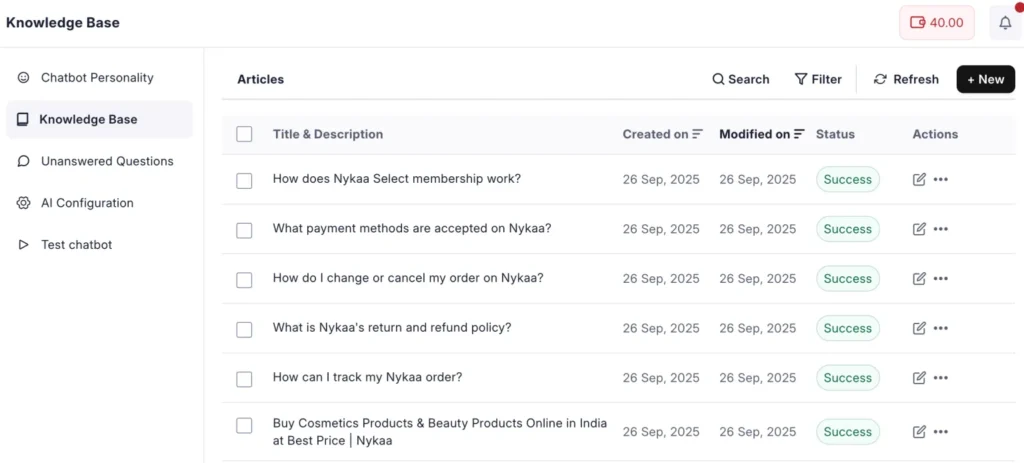
Your chatbot can only answer what it knows. It’s like training a new store assistant; if they don’t know where products are, your typical customers’ preferences, or your processes – the whole ‘how things work’, customers get frustrated.
Give it your website links, PDFs, or enter information manually so it understands your business inside out. The better the knowledge of the chatbot = the smarter, more reliable responses.
3. Test how the chatbot looks on your website
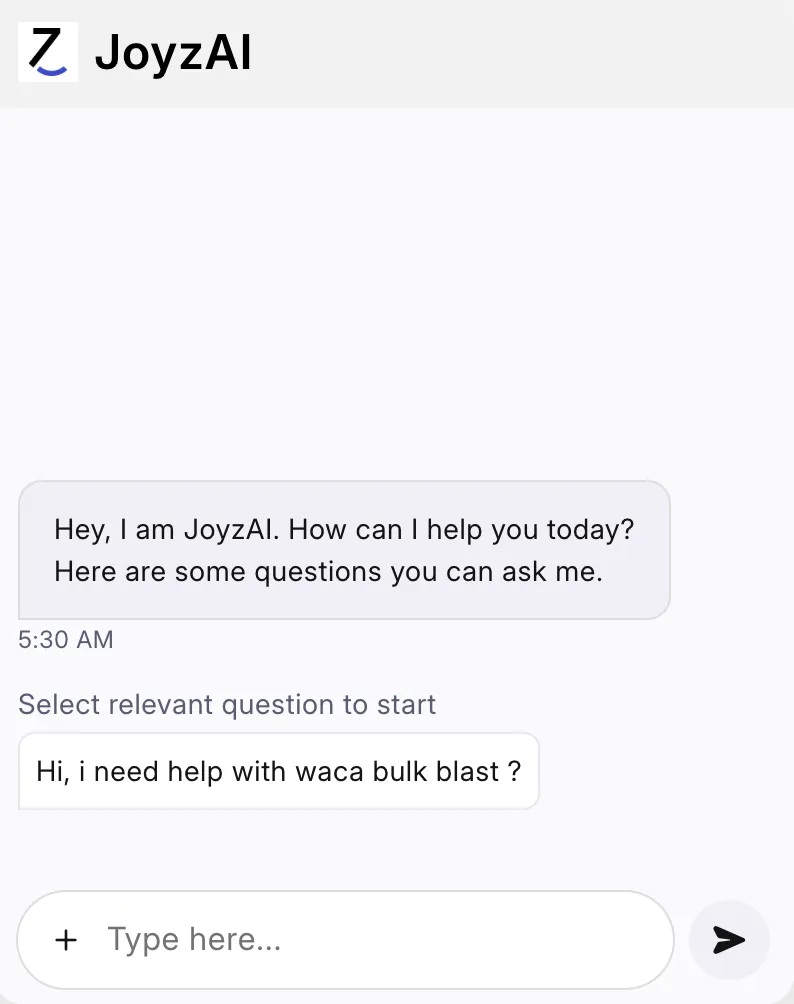
Before you go live, test how the chatbot interacts.
Does it sound like your brand? If it answers in a friendly, natural tone?
Or does it guide customers correctly when they’re confused?
This stage is where you fine-tune its personality and make sure it sounds exactly like one of your support reps. You can adjust its responses, improve the tone, or even add a touch of humor. Anything that makes your customers smile when they get help.
4. Go live
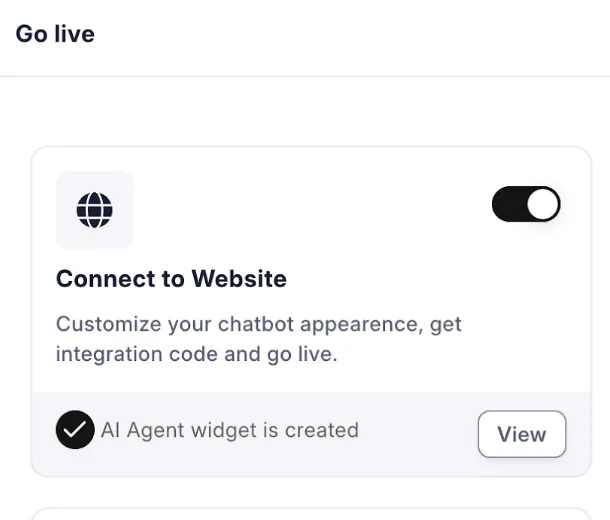
Once everything feels right, it’s time to go live!
Just copy the one-line code generated by your platform and paste it into your website.
That’s it, your chatbot is ready to talk to and help out your customers. You can integrate it on platforms like WordPress, Shopify, Wix, or any custom site in minutes.
Mistakes to avoid while chatbot integration
Integrating a chatbot on your website is easy, but it can turn into a costly mistake if you make one of the following mistakes.
1. Not providing accurate, updated knowledge
If your knowledge base is incomplete or outdated, your customers will get wrong or half-baked answers. That’s an instant trust-breaker.
Update your knowledge base regularly. Make sure it reflects your latest pricing, offers, and product details. That way, your chatbot stays accurate and helpful for every single visitor and customer.
2. Ignoring the customer experience
Every customer interaction with the chatbot should be pleasant and not frustrating.
If your chatbot sounds robotic, takes too long to respond, or provides irrelevant answers, users may leave and never return. The goal is not just to answer questions, but to make customers feel acknowledged and understood.
3. No personalization
A “Hi, how can I help you?” feels fine, but a “Hey Rahul, welcome back!” feels special.
Personalization is what makes your website chatbot feel alive and human. Small gestures like using customer names, recognizing returning customers, and personalizing recommendations based on chat history can enhance customer experience.
4. Not testing before going live
Without testing, you risk launching a chatbot that doesn’t understand context, gives wrong replies, or misleads customers. This will undoubtedly frustrate your visitors and customers alike. So test thoroughly before going live.
Why choose JoyzAI for website integration?
There are so many generic rule-based chatbot builders out there. But you want one that actually understands your customers, saves you time, and fits right in like it was always a part of your website.
That’s exactly what JoyzAI is built for.
1. Effortless integration (launch in 5 mins without writing any code)
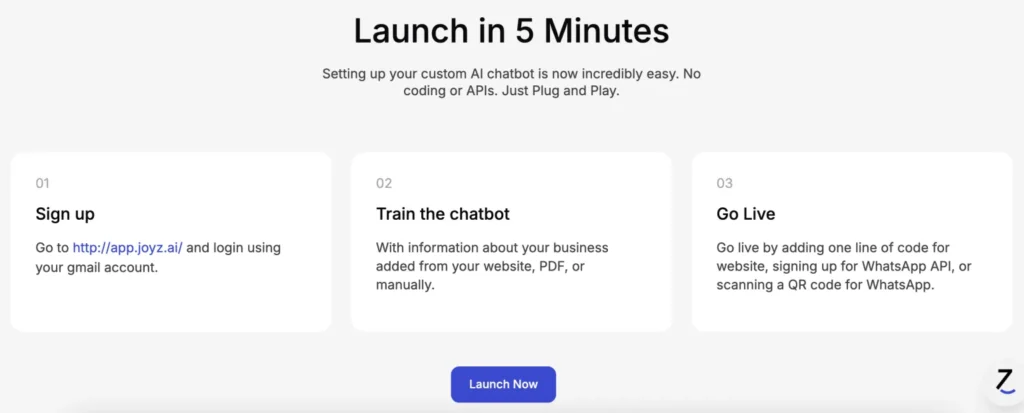
Setting up a chatbot with JoyzAI is incredibly simple, even if you have never written a line of code.
There’s no need for APIs, coding skills, or any other technical knowledge to integrate an AI chatbot.
With JoyzAI, adding a chatbot to your site feels less like “integration” and more like plug-and-play. All you need is to add your business’s info, and you can go live within minutes.
2. Human-like conversations
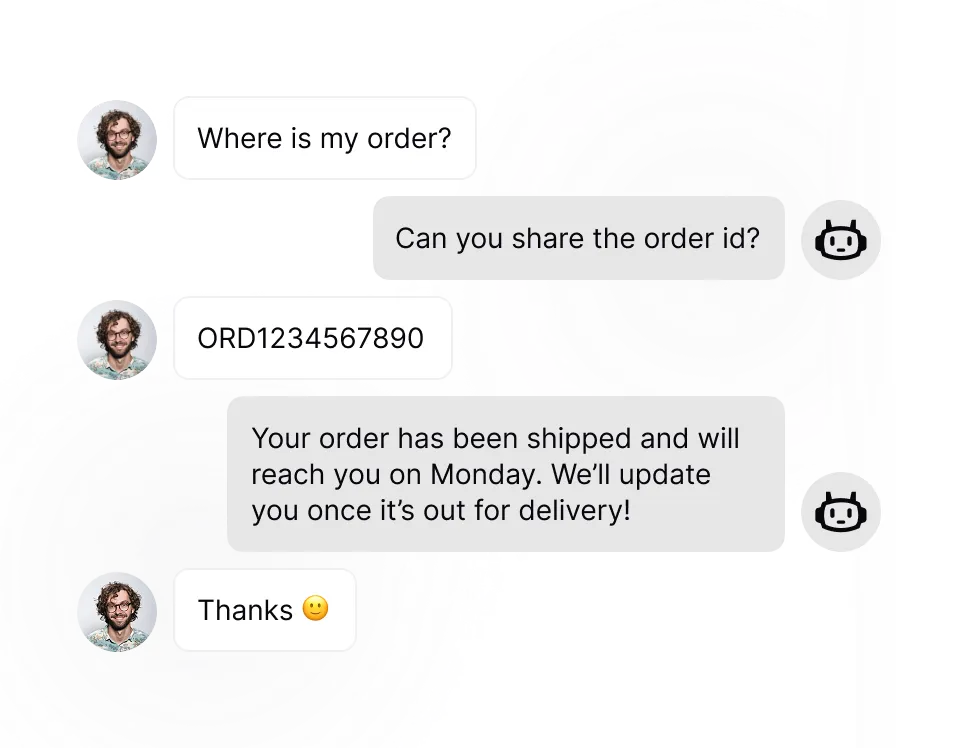
JoyzAI listens, learns, and responds like a human who gets it. It uses natural language processing to understand context, tone, and intent, and not just keywords.
This capability builds trust in every conversation, and trust is what transforms first-time visitors into lifelong customers, fans, and advocates.
3. Multilingual support
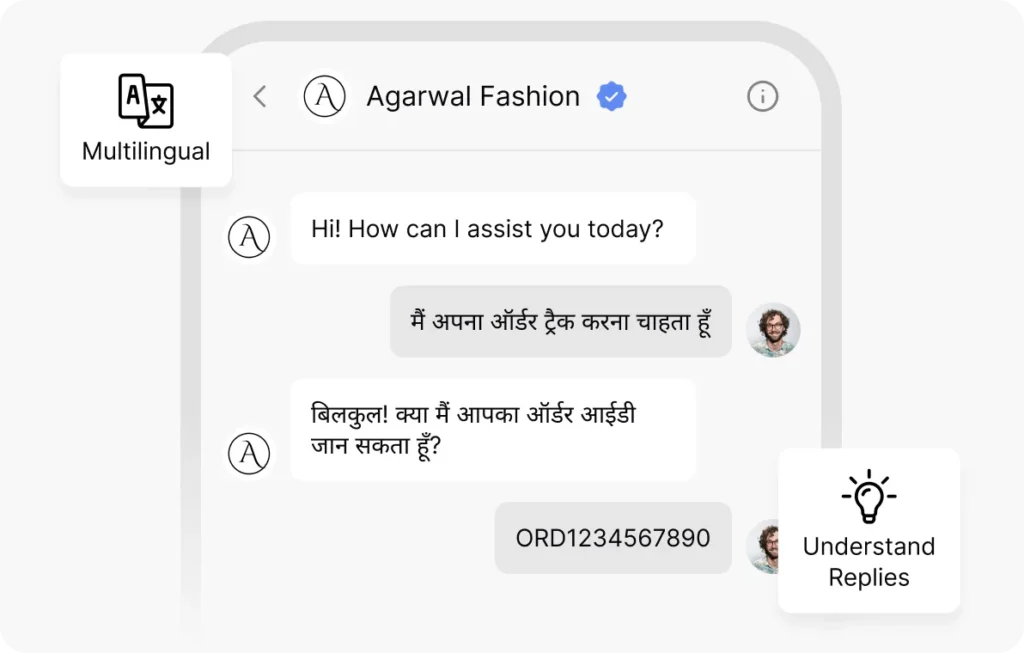
Your customers aren’t all the same, and neither do they speak the same language. JoyzAI understands your customers’ languages, whether it’s English, Hindi, Hinglish, or any other, and responds accordingly.
When customers feel understood in their own language, they are more engaged and likely to convert. This leads to increased business success.
4. Automated workflows
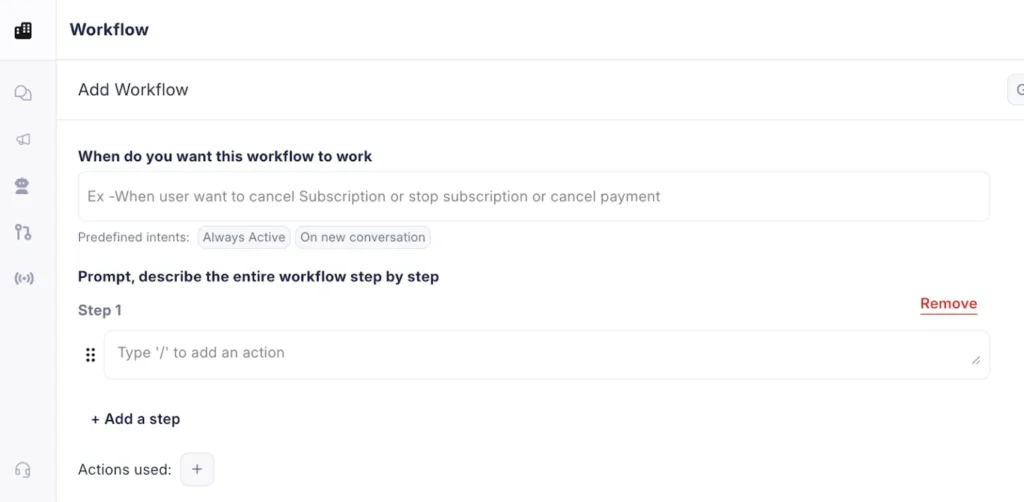
From answering FAQs to booking demos or checking order status, JoyzAI handles all these and more automatically.
It saves your team valuable hours, while your customers receive instant assistance without the need for human agents.
5. Customizable chatbot widget
Your brand deserves consistency everywhere. With JoyzAI, you can tweak colors, text, and style so your chatbot looks and feels like a natural part of your website, not an ill-fitting add-on slapped onto your website.
Conclusion
Adding a chatbot is less about saving time and more about creating meaningful moments that boost customer engagement so they stay, purchase, and return.
When visitors get quick, reliable replies, they know that they are important and that you care about them. With this your team can spend more time building real connections chatbot answers the same basic questions over and over.
If you want anyone visiting your website to find the answers they need while you are binge-watching your favorite series on Netflix, JoyzAI is the perfect solution.
It can respond to customer queries instantly, so they won’t have to wait around for help. This way, you can relax, knowing your customers are being taken care of. Plus, it makes your website feel more friendly and inviting.
Why not give it a go? Book a demo now!
Frequently Asked Questions (FAQs)
Q1. Do I need coding or technical skills to integrate chatbot in website?
Not at all. You can set it up without touching a single line of code. Most chatbot platforms (like JoyzAI 😉) offer simple, no-code setup so you can go live in minutes.
Q2. How long does it take to set up a first chatbot?
Once you connect your knowledge base or FAQs, the chatbot can begin answering customer questions immediately. With JoyzAI, you can go live in under 10 mins!
Q3. How can a chatbot increase sales for my business?
A smart chatbot helps you convert curious visitors into buyers. Answering product questions instantly, suggesting the right items, and guiding customers through checkout removes friction that causes drop-offs.
Q4. How do I integrate a chatbot on my Wix website?
It’s super easy, just copy JoyzAI’s embed code and paste it into your Wix editor. In a few clicks, your chatbot is live and ready to answer customer queries.
Q5. How much does it cost to add a chatbot?
The cost varies from platform to platform, but with JoyzAI, you get a free trial so you can see how it helps your business before spending a rupee. After a free trial, you pay per conversation as you go, based on your usage. All messages within a 24-hour window with one person are considered as one conversation.