

A bad chatbot feels worse than no chatbot at all.
It talks like a robot, asks questions that make zero sense, and leaves your customers stuck instead of helping them.
Think about it: you ask, “Do you deliver in my area?” and the bot answers with “I don’t have an answer for that.”
Annoying for the customer. Expensive for you because poor answers = lost sales.
The truth is, most chatbots don’t fail because they’re “bad at AI.” They fail because they weren’t fed the right knowledge.
That’s where a knowledge base chatbot comes in. Instead of trapping people in fixed menu options, it turns your business knowledge (FAQs, price lists, brochures, policies, PDFs) into instant, human-like answers.
That’s the difference between a chatbot that drives sales and one that drives people away.
In this article, we’ll walk you through everything you need to know:
- What exactly is a knowledge base chatbot
- Why it matters for your business
- And how to build one without technical expertise
Flow chatbot vs Knowledge Base Chatbot
You’re thinking of adding a chatbot to your site. Great!
When you start exploring more about chatbots, you’ll come across two types.
- Flow-base chatbots – the ones you’ve probably seen, where you pick from a menu.
- Knowledge-base chatbots – smarter, more flexible, and actually understand questions.
Talking to a flow chatbot feels like calling your bank’s IVR
“Hi! Please pick one of the options below: 1 for Pricing, 2 for Support, 3 for Other.”
You tap a number, the bot moves you down a branch, and so on.
That works fine if your question is simple.
But what if a customer wants to know, “Do you deliver to my area on Sundays?”
The bot doesn’t recognize it and says, “I don’t have an answer for this,” or navigates them back to the main menu.
And just like that, a potential sale walks out the door 🥲
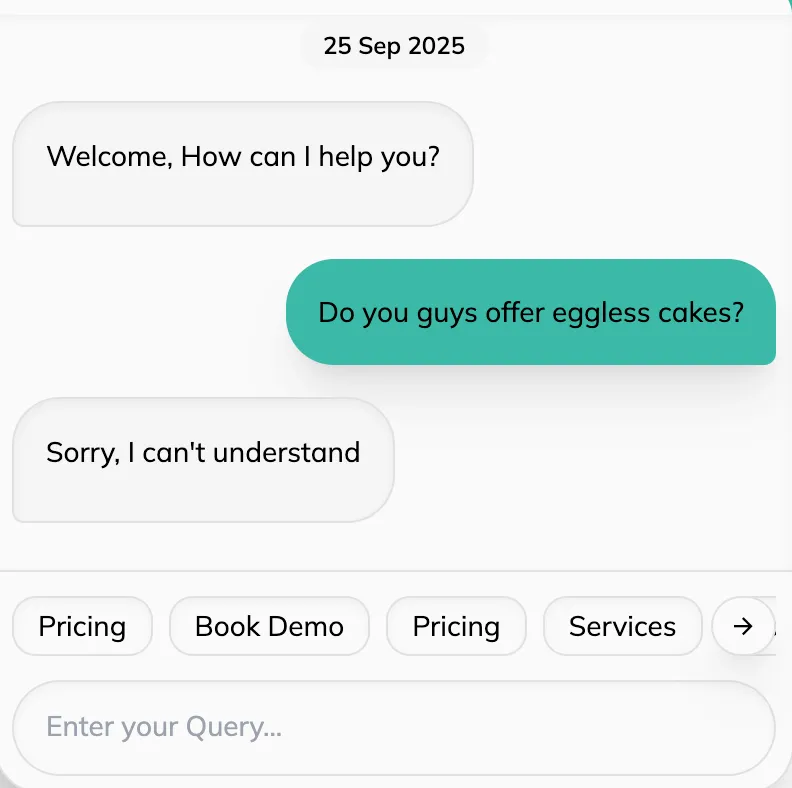
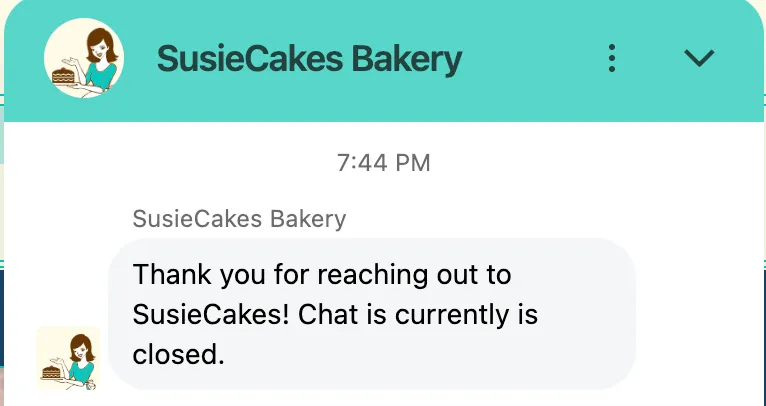
Now think of a different scenario. Same customer, same question. But this time, the bot replies instantly:
👉 “Yes, we deliver to your area every Sunday between 10 AM and 6 PM. Would you like me to show you the delivery slots?”
That’s when your customer goes: Ahh, finally someone who gets it. They feel heard, understood, and, best of all, they stick around to make a purchase.
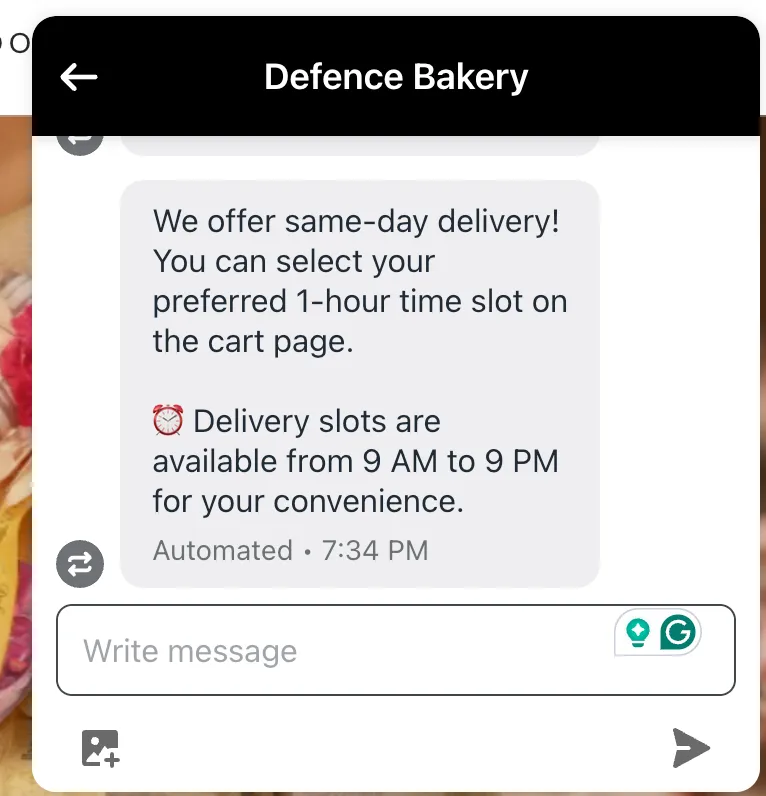
This is the power of a knowledge base chatbot. Instead of sticking to fixed menus, it pulls answers directly from your FAQs, policies, menus, or even PDFs. Customers can ask anything, in their language, and the bot finds the right answer on its own.
| Feature | Flow-Base Chatbot | Knowledge Base Chatbot |
|---|---|---|
| Interaction Style | Menu-driven, choose from preset options | Free-form, understands natural questions |
| Customer Experience | Frustrating, leaves chat, lost lead 🥲 | Feels heard, understood, likely to buy 🙂 |
| Information Source | Fixed scripts only | Pulls from FAQs, brochures, PDFs, website content |
| Flexibility | Very limited | Highly flexible, answers in the customer’s language |
But what exactly is a Knowledge Base Chatbot?

A knowledge base chatbot is the difference between a frustrated customer who leaves for your competitor vs a happy one who converts.
Let’s understand this with an example.
Say you walk into a bakery and ask the staff, “Do you have eggless cakes?”
- Staff member A has memorized a short script: “We sell cakes, pastries, and cookies.” That’s all they know.
If you ask anything outside the script, they get stuck and mumble, “Sorry, I don’t know.” Frustrating, right? - Staff member B, on the other hand, has actually read the bakery’s handbook. They know what’s on the menu, the price list, and even which cakes are available on which days.
- So when you ask, “Do you have eggless cakes?”, they smile and reply, “Yes, we do. Our eggless truffle starts at ₹500, and you can pre-order it for tomorrow.”
That’s the difference between a flow chatbot (like Staff A) and a knowledge base chatbot (like Staff B).
A knowledge base chatbot doesn’t follow a rigid script, but rather gives answers using the real information you feed it, like:
- FAQs from your website
- Your price list or service menu
- Catalogues or brochures
- Policy documents in PDF
- Pages from your website
- Google Docs, Sheets, or internal manuals
Whenever a customer asks a question, the AI chatbot searches your company’s entire knowledge base and pulls out the most relevant answer.
As a result, customers always get helpful, reliable answers and no blank stares or wrong guesses. Just the right response, instantly.
Why does your business need a Knowledge Base Chatbot?
Running a small or medium-sized business isn’t easy. Your day is already packed with endless meetings, client messages, staff asking for guidance, and closing deals.
But on top of this, you have:
- Customers repeatedly asking the same delivery question.
- Someone messaging you at 11 PM on WhatsApp, when you’re finally relaxing with family.
- Your staff spending half the day answering FAQs instead of focusing on real sales.
It adds up. Customers get impatient. You lose sales without even realizing it. While your support team is completely overloaded.
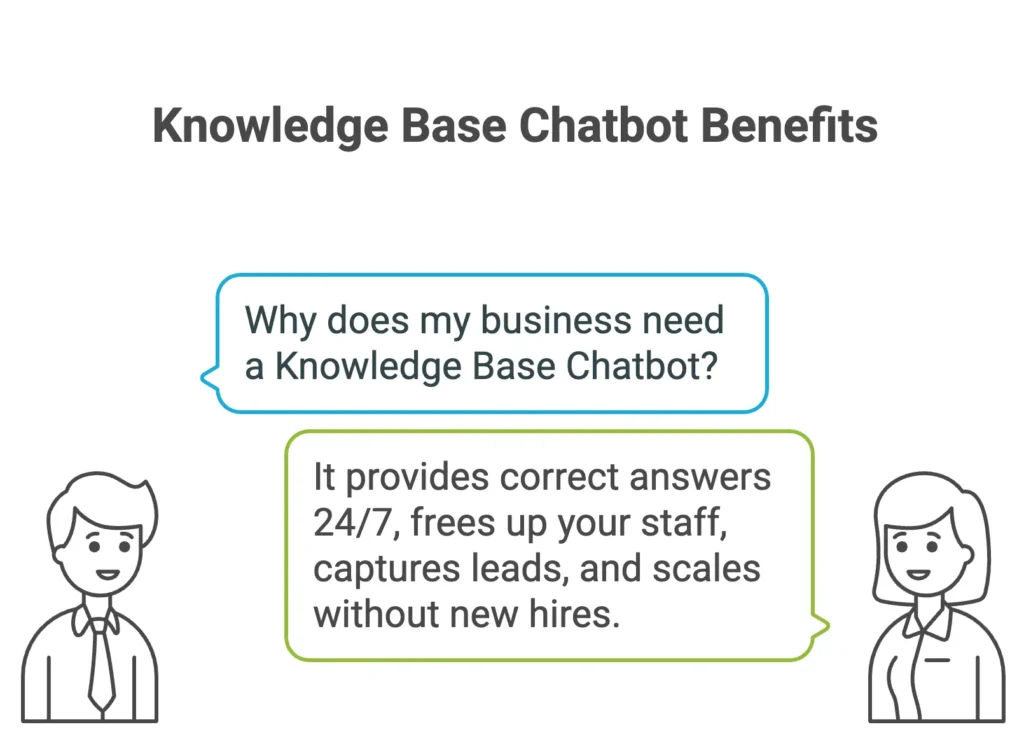
It’s where a knowledge base chatbot makes your life much easier:
1. Correct answers, every time
The AI chatbot pulls directly from your own data. It never makes mistakes with your pricing, delivery zones, or return policy. It ensures your customers get helpful and reliable answers, whether it’s 3 PM or 3 AM.
2. Time back for your staff
Your team stops repeating FAQs endlessly and can focus on complex issues or, even better, closing high-value deals. Think of the bot as clearing out the small, noisy tasks so your staff can handle the important ones. (Hello, efficiency!)
Chatbot statistics suggest that companies will save up to $11 billion and nearly 2.5 billion hours by using chatbots (Source)
3. 24×7 Support
Even if someone messages at midnight, the bot responds immediately and can collect contact details for you to follow up the next morning. Remember, your business never sleeps, but you still need to.
4. Never miss a lead
The AI chatbot doesn’t just answer questions. It can capture names, numbers, and even help them to place orders, track bookings, and more. It keeps your sales funnel moving.
5. Scales without new hires
Your leads and queries grow as you scale your business. But as you move from 50 leads per day to 500/day, if you have to increase your sales and support teams by 10x or 5x, that’s not scaling, that’s just creating management hell for yourself.
With the right knowledge base chatbot, you can scale your business without 10x-ing your costs, team size, and headaches.
Step-by-step: Build Your Knowledge Base Chatbot
By now, you’ve a clear understanding of what a knowledge base chatbot is and why it matters. But the real question is: where do you even start?
It’s easy to feel overwhelmed.
You might be thinking:
- Do I need a developer?
- Do I need to write hundreds of FAQs?
Feels like this is going to take weeks!
The good news is, NO!
Building a custom knowledge base chatbot is less about “technical expertise” and more about organizing the knowledge you already have.
Here’s a practical checklist you can follow:
Step 1: Pick a Chatbot platform
You’ve got enough things to chase and manage (clients, meals, deals, and sleep), your chatbot shouldn’t be one of them.
Here are a few things to consider before choosing a knowledge base chatbot:
- Get started fast: Look for a platform that lets you launch quickly. You want to see results, not waste hours on setup only to realize that the chatbot looked great, but doesn’t solve your problem.
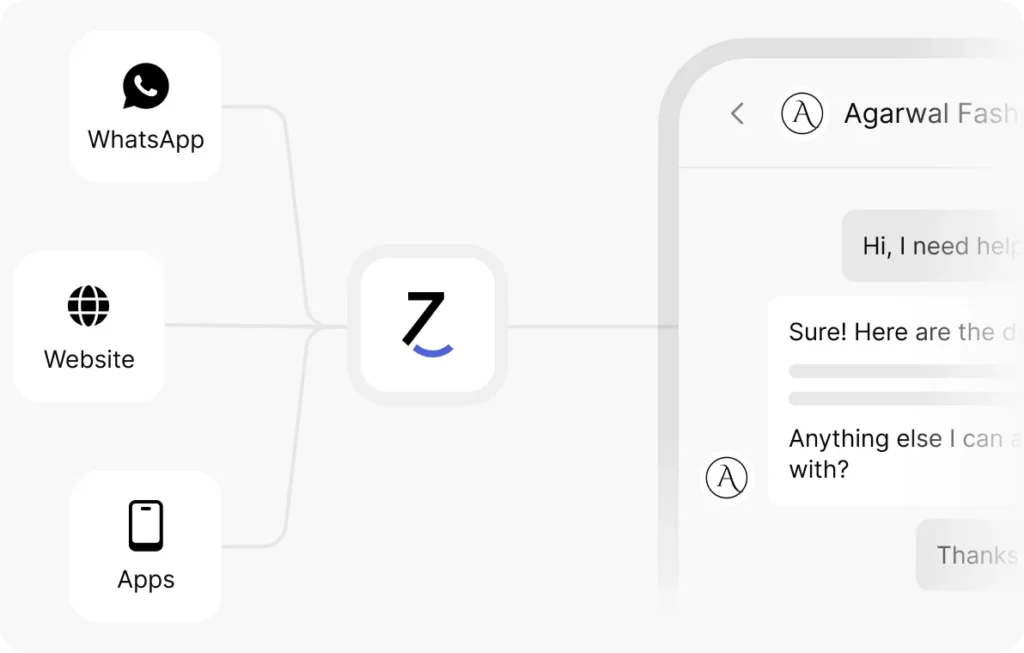
- Meet customers where they are: WhatsApp, website, apps, don’t make them hunt for help. Pick a bot that can be easily integrated wherever your customers reach out.
- No coding headaches: You should be able to tweak your bot yourself. No developers, no waiting, no frustration.
- Grow without stress: As your business grows, your bot should keep up effortlessly. It should be able to serve the end goal, even if the queries increase 2x tomorrow or 20x in a month.
- Support when you need it: If you need help onboarding, integrating a chatbot, creating workflows, or any other queries, make sure your platform has a team ready to offer quick assistance.
Step 2: Add your information
What will happen if you ask someone for directions, and the person wants to be polite but doesn’t actually know anything about the address?
That’s exactly what happens if your bot doesn’t have the right information.
Your bot can only answer questions if it has the right information. Adding complete and relevant details ensures it gives accurate responses to customers.
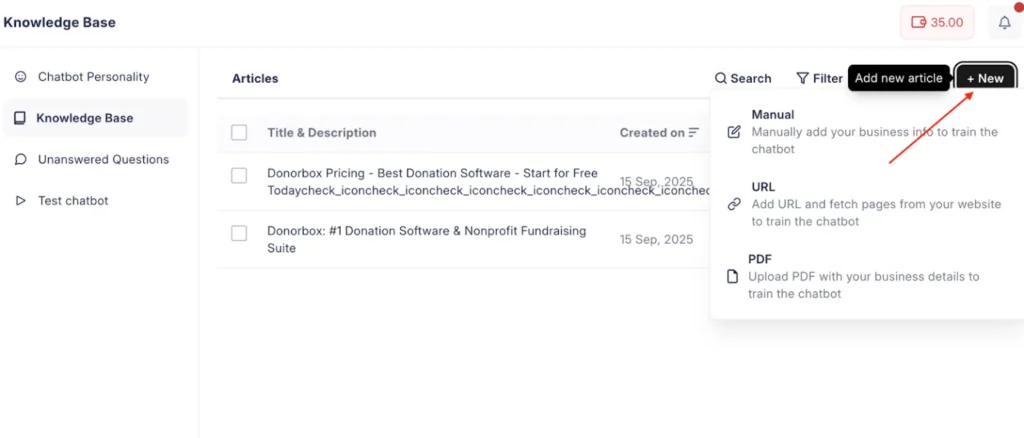
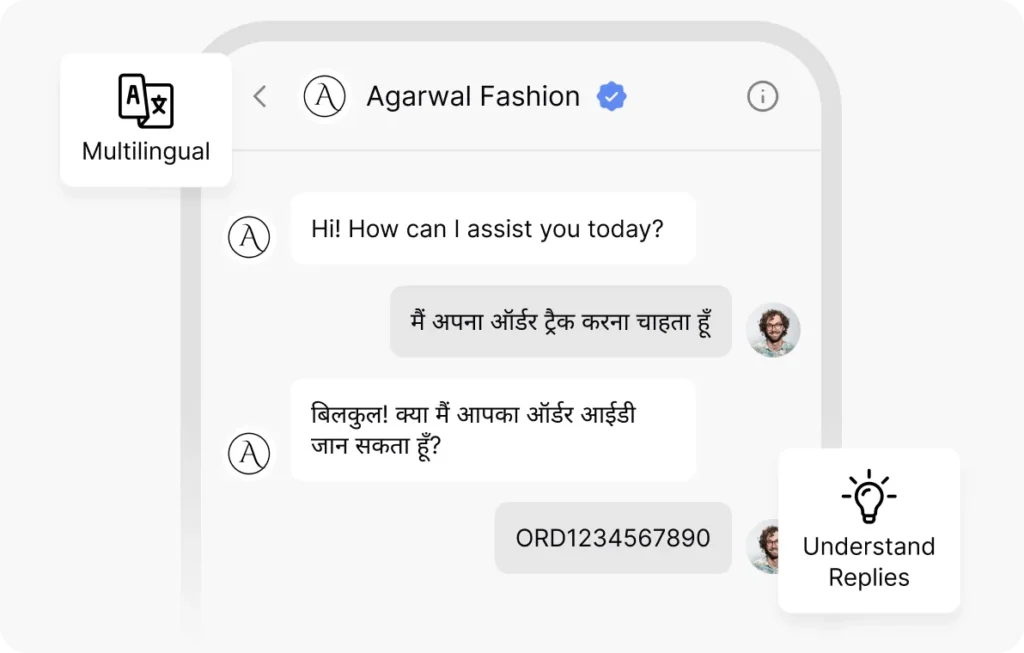
With JoyzAI, you can update the chatbot knowledge base using any of these three methods:
- Website URL: Just type in your website’s URL, and the AI will fetch relevant content from your website.
- PDF: Upload content in the form of PDFs to update business info.
- Manual upload: You can manually type in or copy the relevant data about your business and go live with your chatbot.
👉 But don’t stop there. To truly connect, your bot should also reflect your brand’s tone and personality. That’s what makes the chatbot feel approachable and human.
Step 3: Train and Customize Your Bot
Now, you teach your bot how to talk. This is key!
You don’t want it to sound like a machine.
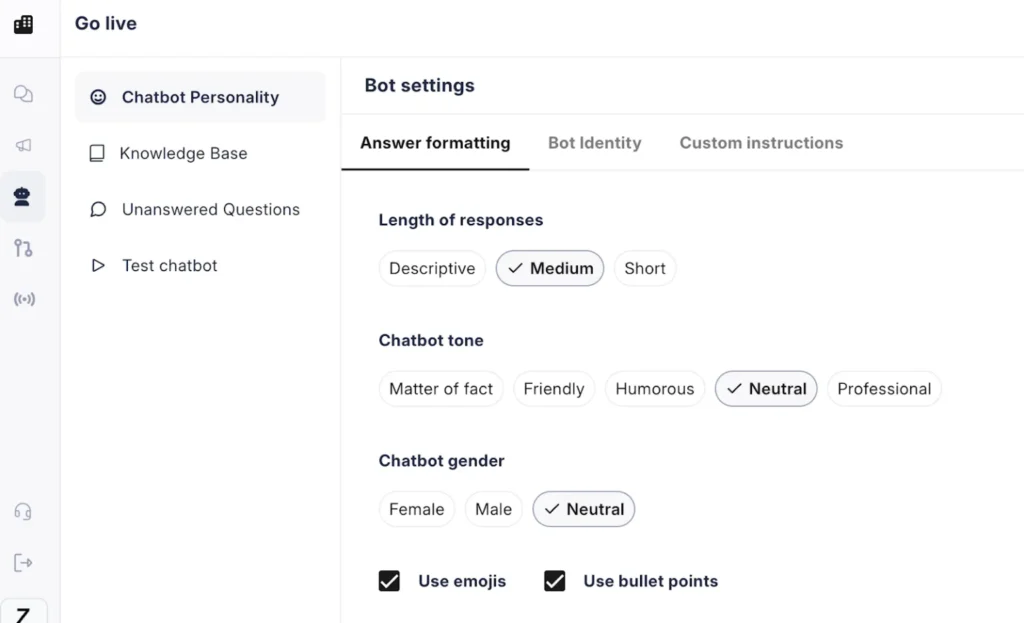
With JoyzAI, you don’t need to code; training is as simple as tweaking settings:
- Start by setting the tone and personality. Decide how your bot should communicate. Should it be formal, casual, witty, or supportive? This sets the “voice” that your customers will experience.
- Next, define fallback responses. Sometimes the bot won’t have an answer. Set a clear fallback message like, “Let me connect you to support.”
After the setup is complete, how do you make sure that the bot is responding accurately? How do you check how the answers appear to your customers?
That’s where testing your chatbot helps. You can see the bot in action, identify any gaps, and ensure that the interaction feels human-like before going live.
Step 4: Test your bot
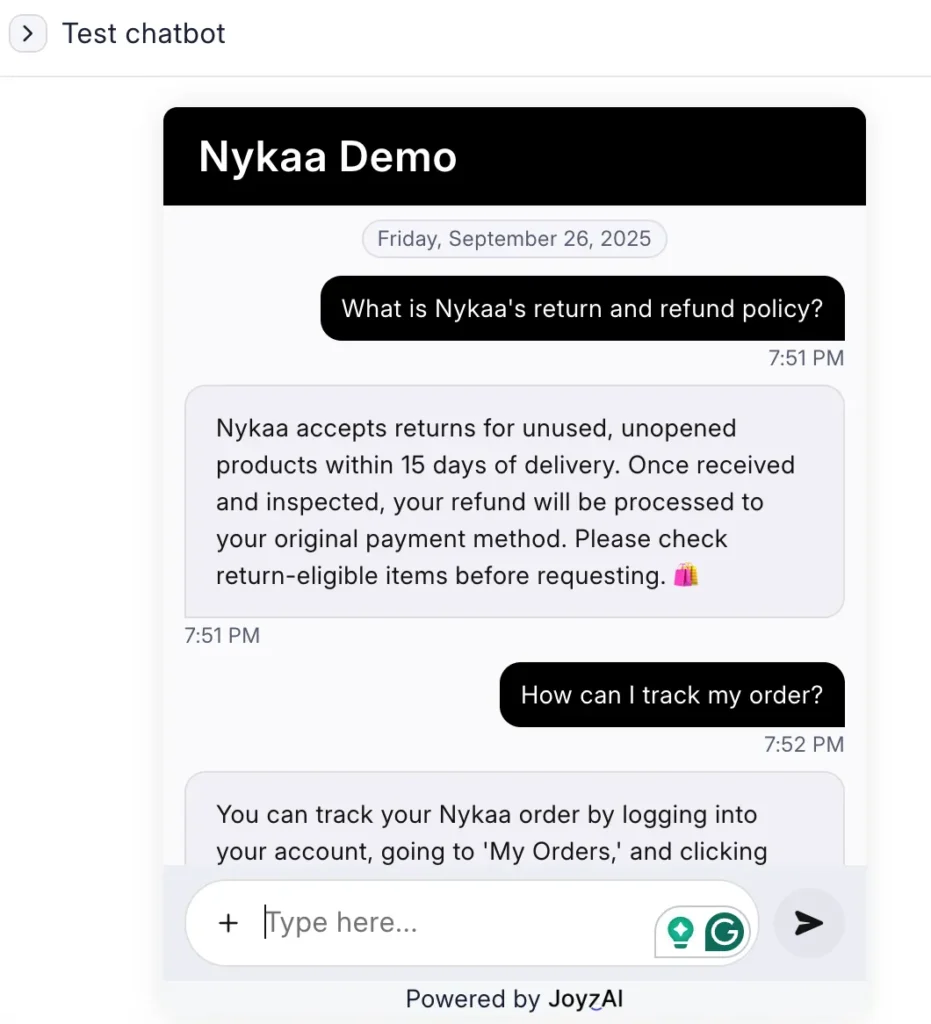
Here’s how you can do a “dress rehearsal” of your chatbot before going live…
- Go to the website or WhatsApp number on which the chatbot is live.
- Pretend you’re the customer and ask your bot common questions.
- Check if the answers make sense.
- If something feels off, update the knowledge base and test again.
Catching mistakes and tweaking the bot early saves you from frustrated customers later.
Once this is done, the next step is to GO LIVE!
Step 5: Go Live
Integrate your bot with your website, WhatsApp, WhatsApp API, or apps so real customers can start asking questions. A bot is of no use until people can interact with it.
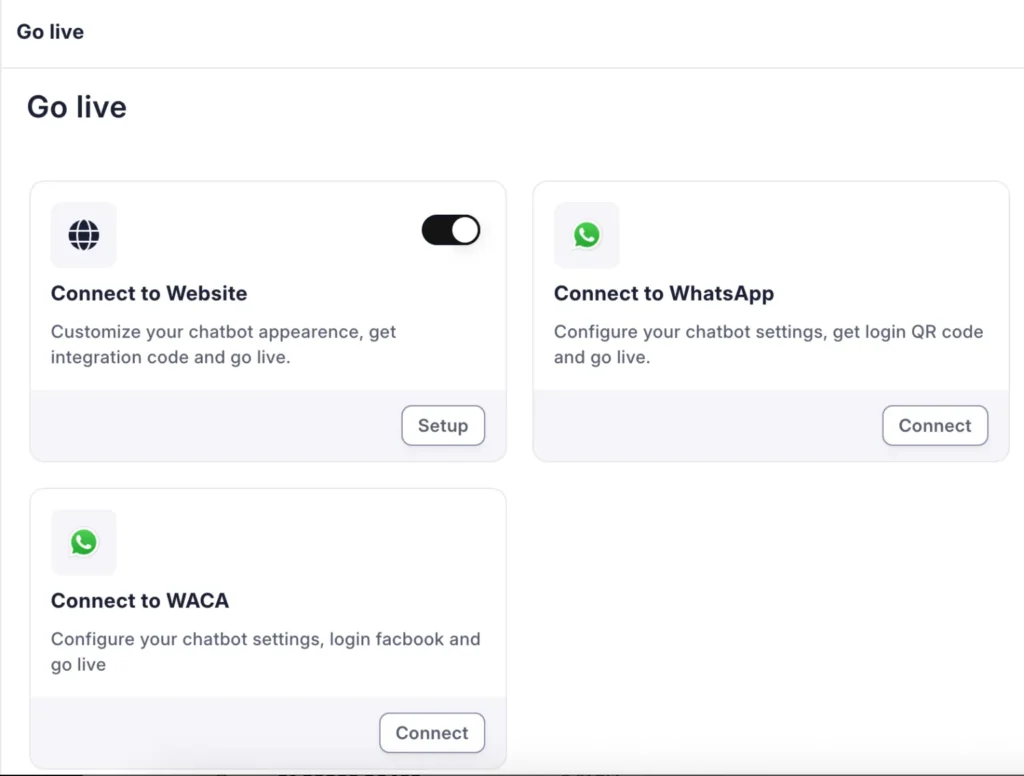
Going live lets your customers get instant help, saving them time and improving their experience.
Step 6: Fine-Tune over time
Customer questions and your business details may change over time. Updating your knowledge base regularly keeps it accurate and helpful! This way, the bot will be able to handle the majority of the queries on its own without needing human intervention.
Best practices for building a Knowledge Base Chatbot
Creating a chatbot that can answer customer questions is easy.
But to make it really helpful, there are a few things you should keep in mind. These best practices ensure your bot gives accurate responses, feels natural, and provides a great customer experience.
1. Choose the right platform
The benefit of choosing a good platform is that it makes setup, testing, and updates much simpler, so you can focus on helping your customers instead of struggling with technical issues.
An AI chatbot tool like JoyzAI is not only easy to use but can also be integrated across multiple channels like website, WhatsApp native, WhatsApp API, or apps.
2. Give your bot all the relevant details
Include all the relevant information about your business, like products, pricing, features, FAQs, blogs, and more, in the knowledge base. Let the bot read all the relevant pages of your website. The bot can only answer questions if it has the necessary information. The more it knows, the better it helps your customers.
3. Set the bot’s tone and personality
Decide how your bot should “sound”—friendly, professional, casual, or fun. A clear and consistent tone makes conversations feel natural and also makes customers comfortable interacting with your bot.
4. Keep updating the knowledge base
Whenever your products, services, pricing, or policies change, update the knowledge base with the latest information. This keeps the bot accurate and ensures it can continue to provide correct answers as your business evolves.
5. Have fallback responses ready
Set messages for questions the bot can’t answer, like: “Let me connect you to the support team.” This prevents customer frustration and ensures they still get the help they need.
How is JoyzAI’s Knowledge Base Chatbot different?
Let’s be honest — you’ve probably met chatbots that:
- Give the same copy-paste answers for every question
- Sounds like robots stuck in 2005
- Take forever (or a small eternity 😅) to set up
- Offer zero customization
- Still need humans to fix things
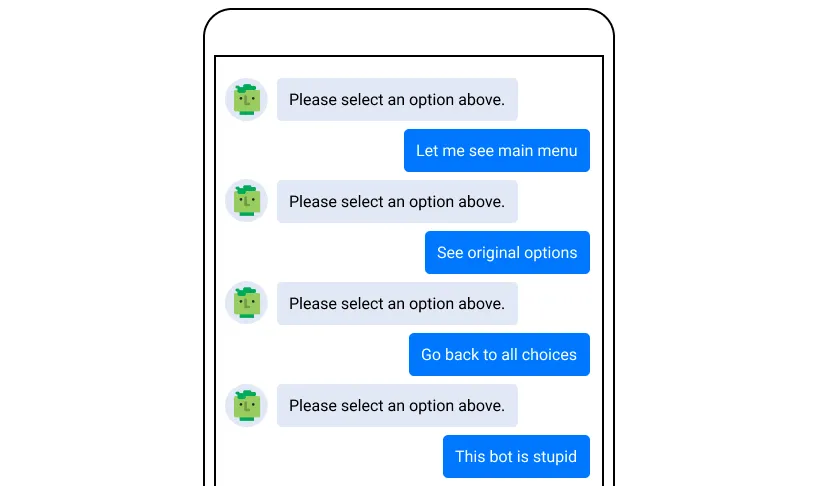
Frustrating, right?
JoyzAI isn’t one of those bots. It actually understands your business, answers questions instantly, can be customized easily, and keeps learning and improving over time.
Here’s what makes JoyzAI stand out:
1. Effortless setup with no coding required
JoyzAI allows you to integrate your chatbot across various platforms like your website, WhatsApp, and mobile apps without the need for any coding. This means you can have your chatbot up and running in 10 minutes, WITHOUT ANY TECHNICAL SKILLS WHATSOEVER.
2. Comprehensive knowledge base integration
The AI-powered tool enables your chatbot to access and learn from all the pages on your website, including pricing, features, blogs, and more. This ensures that your chatbot is well-equipped to provide accurate and detailed responses to customer inquiries.
3. Multilingual support
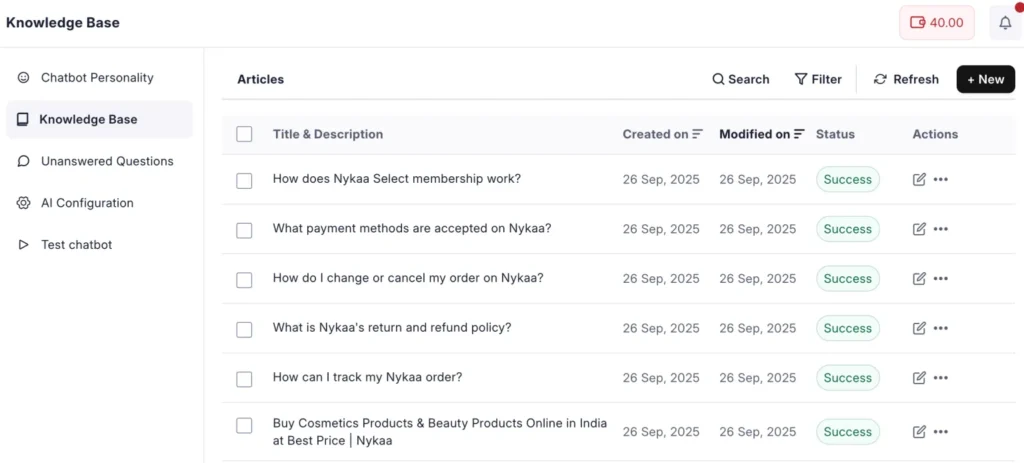
Hindi, Punjabi, Kannada… even Hinglish. JoyzAI understands it all. Your customer in Bangalore types in Kannada, another in Punjab types in Punjabi, and your bot gets it instantly and responds accordingly. No lost leads and no language barriers.
4. 24/7 availability with AI-Powered assistance
It’s late at night, and you’re finally enjoying a show on Netflix or just some quiet time with family. Then a customer inquiry pops up. Your team is offline, but you care about your prospects, so you don’t wanna make this one wait till the next morning to get a reasonable response.
With JoyzAI implemented, the chatbot jumps in, answering his questions instantly and accurately! This way, all your prospects and customers get help right away, and you can protect the peace of your quality time (Or watch that extra episode without guilt 😉).
5. Continuous improvement through unanswered questions
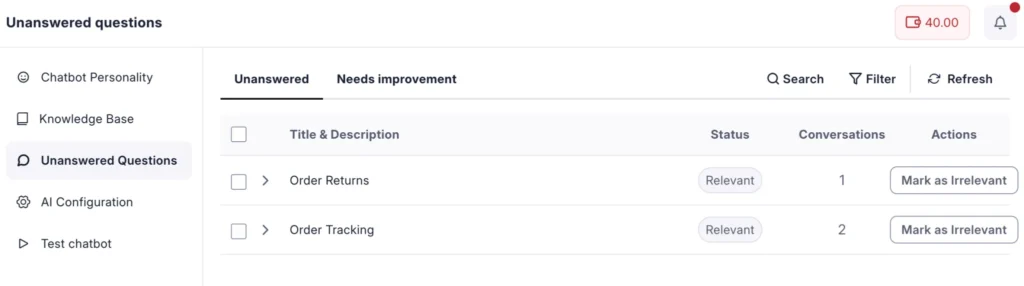
Some bots just freeze when they don’t know an answer. But JoyzAI keeps track of unanswered questions so you can update your knowledge base. Over time, your bot becomes sharper, more accurate, and genuinely helpful, all without extra effort from your team.
Conclusion
By now, you probably get what a knowledge base chatbot is and how it can make your life easier. But you might still be thinking:
“Hmm… is this really worth my time right now?”
Here’s the truth: you won’t know until you try it!
Spend just 10 minutes building one with JoyzAI. Test it, tweak it, ask questions, and see how it responds.
You might not become a chatbot expert overnight, but you will notice how much smoother your customers’ experience can be.
So why wait? Book a demo today and let your chatbot start helping your business, making things easier for you and your customers.
FAQs on Knowledge Base Chatbots
Q1. What’s the difference between a normal chatbot and a knowledge base chatbot?
A normal chatbot can handle simple, pre-set conversations, but a knowledge base chatbot offers personalized responses based on the information you provide, like FAQs, guides, and website content.
Q2. How do I add my business info to a knowledge base chatbot?
You can add information to the knowledge base in three ways: Website URLs, PDFs, or manual typing/copy-pasting the details about your products and services.
Q3. Can I update my knowledge base content later?
Yes! As your business grows, details change, or new questions come in, you can update your knowledge base to keep your bot accurate and helpful. With JoyzAI, you can easily track unanswered questions to identify knowledge gaps and update them later.
Q4. How much does it cost to set up a knowledge base chatbot?
Many platforms, including JoyzAI, offer free trials. Costs vary depending on the features you need and the number of users, but we do offer a free trial so you can start a small-scale pilot and see if it really solves your problem before upgrading.
Q5. Can I use a knowledge base chatbot on WhatsApp?
Yes! Most modern platforms, like JoyzAI, allow you to integrate your chatbot with WhatsApp, your website, and even mobile apps. This way, your customers get consistent support everywhere, improving accessibility and overall customer satisfaction.